YAML Editor & Diff
Edit live resources, review diffs, and compare revisions without leaving the Kubernetes context you are debugging.
Editor
Krust opens standalone editor windows for any Kubernetes resource. The editor is powered by STTextView and includes:
- Full YAML syntax highlighting
- Line numbers
- Cmd+F find bar for searching within the document
- Apply changes directly to the cluster with Cmd+S
The editor is designed for operational patches and inspections, not as a replacement for GitOps. Use it when you need to understand current live state, apply a small tactical change, or verify what the API server accepted.
Apply Flow
- Open a resource from the context menu or command palette.
- Make a focused YAML change in the editor window.
- Press Cmd+S to apply the update to the current cluster context.
- If Kubernetes rejects the change, Krust shows the validation error inline so you can correct it without losing the editor state.
Keep changes small and explicit. For large application changes, push through your normal deployment or GitOps path and use Krust to inspect the result.
Revision Diff Free
Compare previous revisions of workload resources to see exactly what changed:
- Compare ReplicaSets of a Deployment
- Compare ControllerRevisions of a StatefulSet
- Compare Helm release values between revisions
- Myers diff algorithm with colored additions and deletions
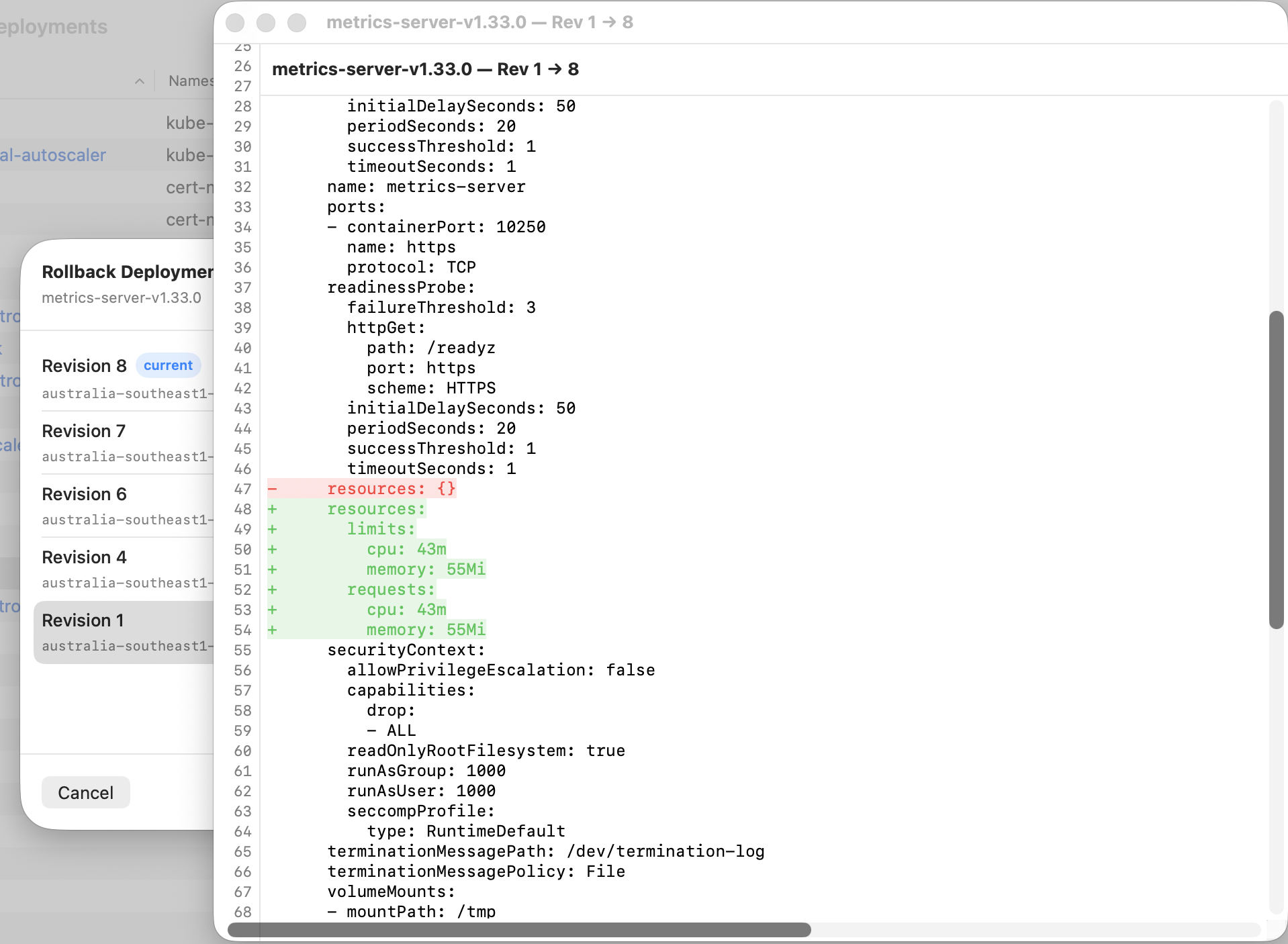
Rollback dialog with inline revision diff — red lines removed, green lines added between revisions.
Resource Diff
Compare resources side-by-side with context-aware gating:
- Same-context diff is Free (normal review workflow)
- Cross-cluster diff (different contexts) is Pro (incident workflow)
- Colored unified diff showing additions and deletions
Same-context diff is useful for normal review work. Cross-cluster diff is aimed at incident response, where you need to compare production and staging or two regional clusters quickly.
Common Use Cases
- Rollback review — inspect what changed between workload revisions before restoring an older version.
- Live-state inspection — compare current API state with what you expected from manifests or Helm values.
- Small operational patches — fix a label, annotation, replica count, or config reference while staying inside the active context.