Krust is a native Kubernetes desktop app for production operations on macOS. If you are evaluating tools, compare Features, read the Port Forwarding docs, and start with Quick Start.
Most Kubernetes teams know this kubectl flow:
kubectl port-forward svc/api 8080:80 -n defaultThen local code, Postman collections, and callback URLs get rewritten to random localhost ports.
That works, but it creates drift and breaks parity fast in multi-service workflows.
Today, Krust keeps that workflow stable with three pieces working together:
- a port-forward engine that maintains the actual Kubernetes tunnel
- a system DNS proxy managed through Apple Network Extension
- a local networking layer that keeps service-style hostnames usable from macOS apps
The result is the same goal as before, but the implementation is different from the older manual resolver-style flow. Krust now manages DNS through the system DNS proxy path and keeps hostname mappings synchronized from the app.
Why Plain kubectl port-forward Becomes Fragile
Traditional Kubernetes port forwarding binds each tunnel to 127.0.0.1:<local-port>.
That causes three recurring issues:
- URL rewrites in local code, test scripts, and API clients
- Port collisions when several services use port 80 or 443
- Lower environment parity between local development and in-cluster behavior
Current Architecture in Krust
Krust uses three layers:
-
Port Forward Engine
Opens and maintains forwards for Pods, Services, and workloads. -
System DNS Proxy
A Network Extension DNS proxy receives cluster-local lookups and resolves them from Krust’s current mapping snapshot. -
Local Networking / Tunnel Plumbing
Krust keeps the DNS snapshot and local routing state aligned so those service-style hostnames stay usable in browsers, API clients, and scripts.
End result: you keep stable service URLs while traffic still flows through local secure forwarding.
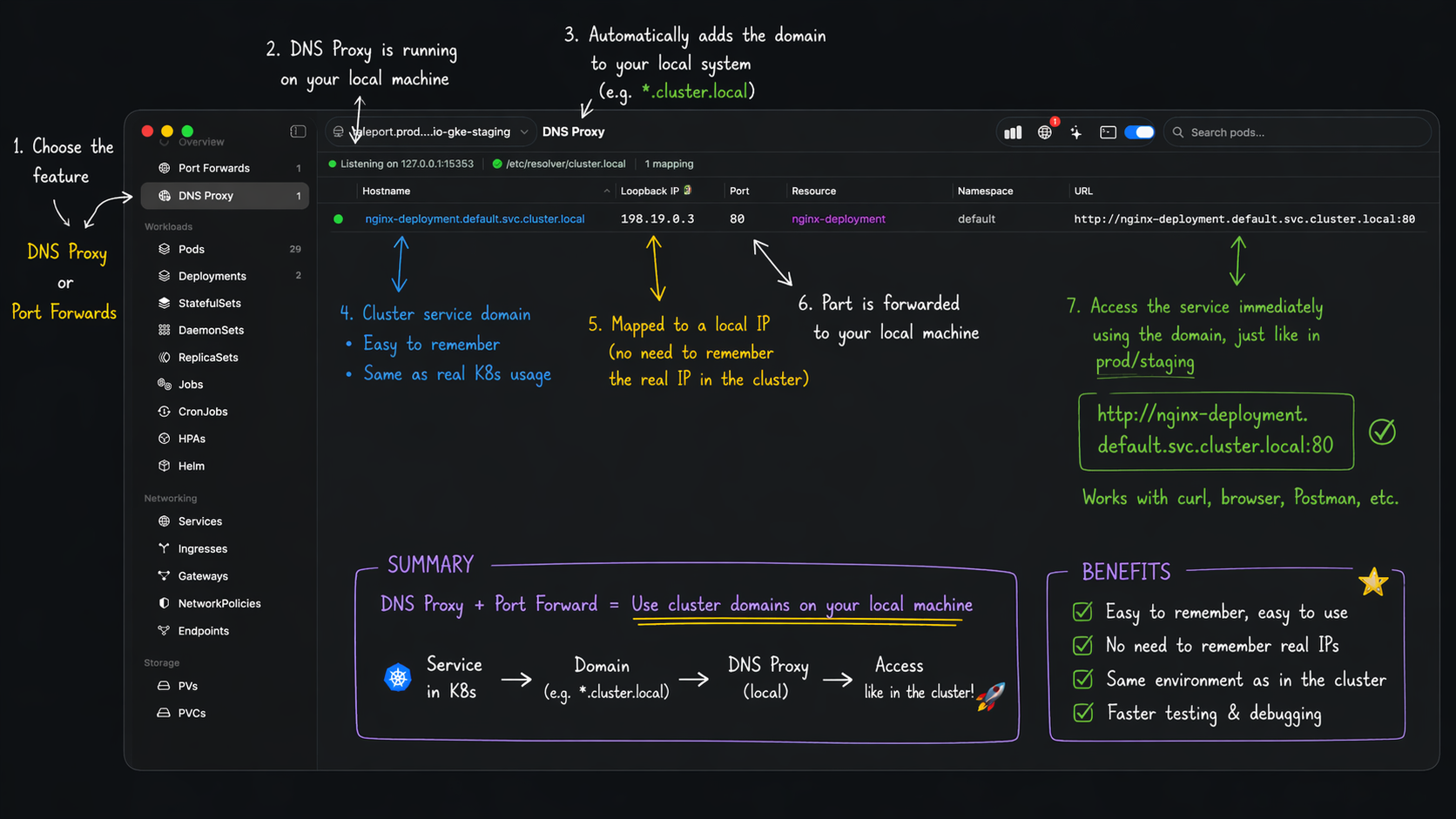 Current flow: start forward -> DNS mapping -> cluster-style URL opens locally.
How the Runtime Flow Works
- Start a forward from Pod/Service/Deployment/StatefulSet/DaemonSet.
- Krust resolves target pod(s) and opens local forwarding.
- Krust allocates a stable local VIP and registers a DNS mapping for that service hostname.
- The system DNS proxy serves
*.svc.cluster.locallookups from the current snapshot. - Krust tracks mappings by hostname and service port, so
hostname:80andhostname:443do not overwrite each other. - If backend pods restart, Krust reconnects and refreshes the mapping state where possible.
For common ports like 80 and 443, Krust can use safe local fallback ports when needed.
Free vs Pro in This Workflow
Current licensing behavior:
- Free: 1 active DNS mapping
- Pro: multiple concurrent DNS mappings
- Pro: saved port-forward profiles + auto-restore
So day-to-day forwarding works on Free, while hybrid multi-service DNS-heavy setups unlock fully on Pro. See Licensing for the current Free vs Pro gates.
Why Teams Prefer This Over Manual Localhost Mapping
1. Better parity with in-cluster naming
Keep service-style hostnames in local configs and tests.
2. Less config drift
Fewer “dev-only localhost rewrites” in code and scripts.
3. Better multi-service ergonomics
Forward several internal services without juggling random port maps.
4. Faster re-entry
Saved profiles (Pro) bring recurring tunnels back in one step.
5. More resilient during restarts
Krust reconnect logic reduces manual restart cycles after pod churn.
What Changed From the Older Flow
The important architectural update is not just “VPN exists now.” It is that Krust no longer depends on an older manual resolver-install pattern to keep service DNS working.
What changed:
- DNS is now served through the system DNS proxy path managed by Network Extension
- Mapping state is pushed from the app as a live snapshot instead of relying on a separate resolver-style setup step
- Service hostname mappings are tracked per service port, which avoids the old class of collisions where one hostname could overwrite another active mapping
For users, this means the feature behaves more like a real system capability and less like a local workaround you have to babysit.
UI Views You Should Use
The DNS Proxy settings area in Krust shows whether the system DNS proxy is enabled, whether the local networking path is healthy, and whether the current mapping set is active.
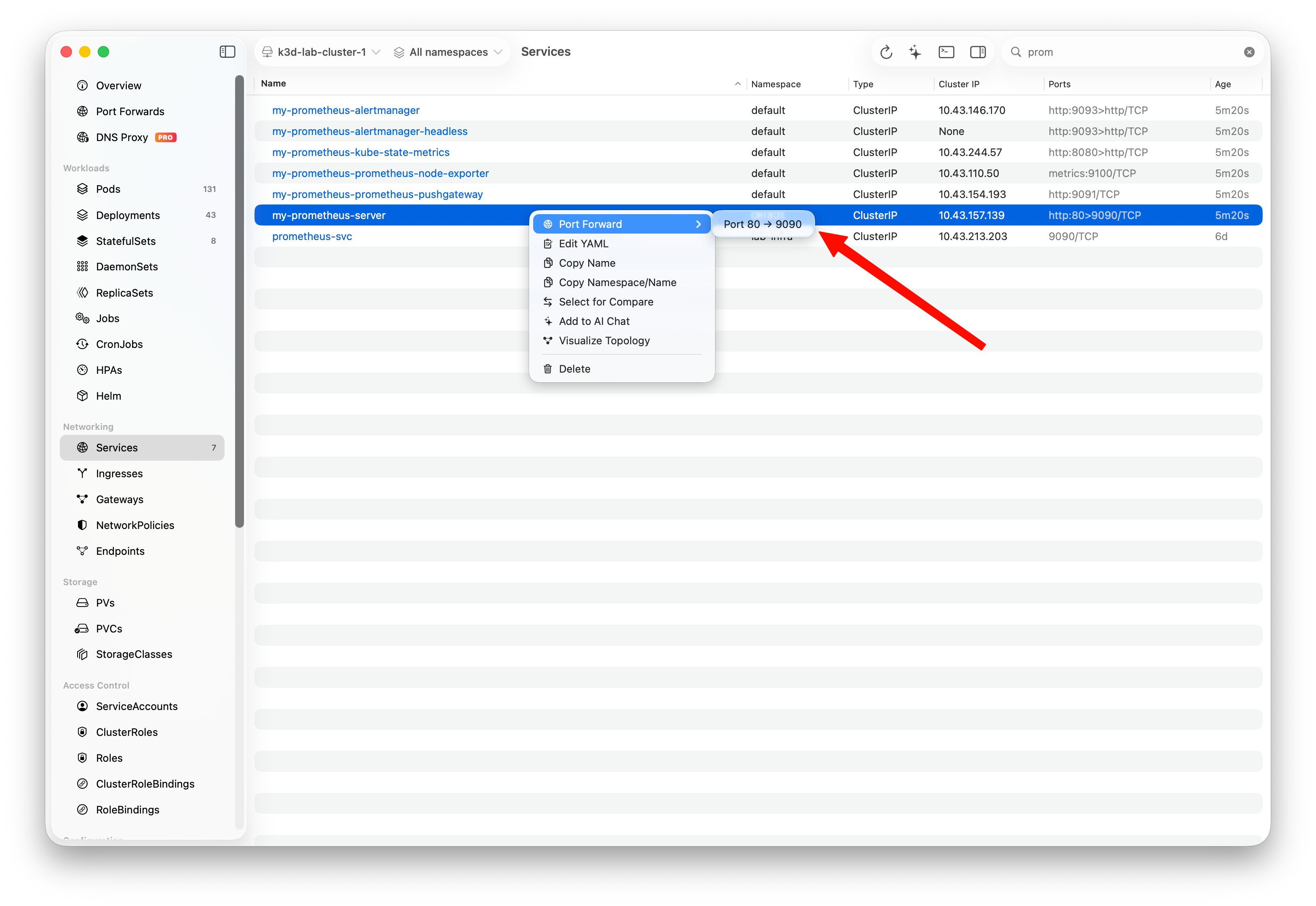 Choose Service port mapping directly from the context menu.
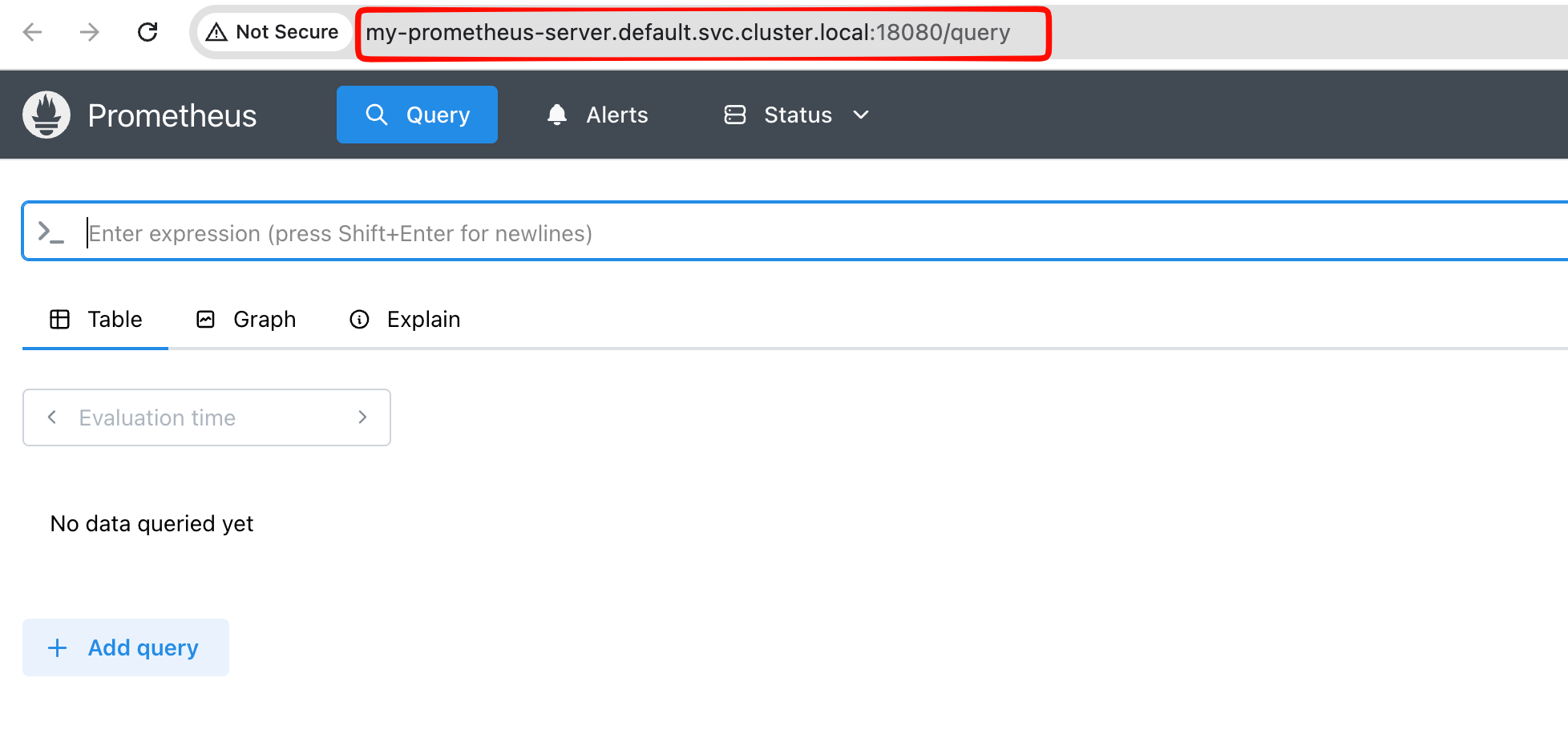 Example access via cluster-style hostname with local fallback port.
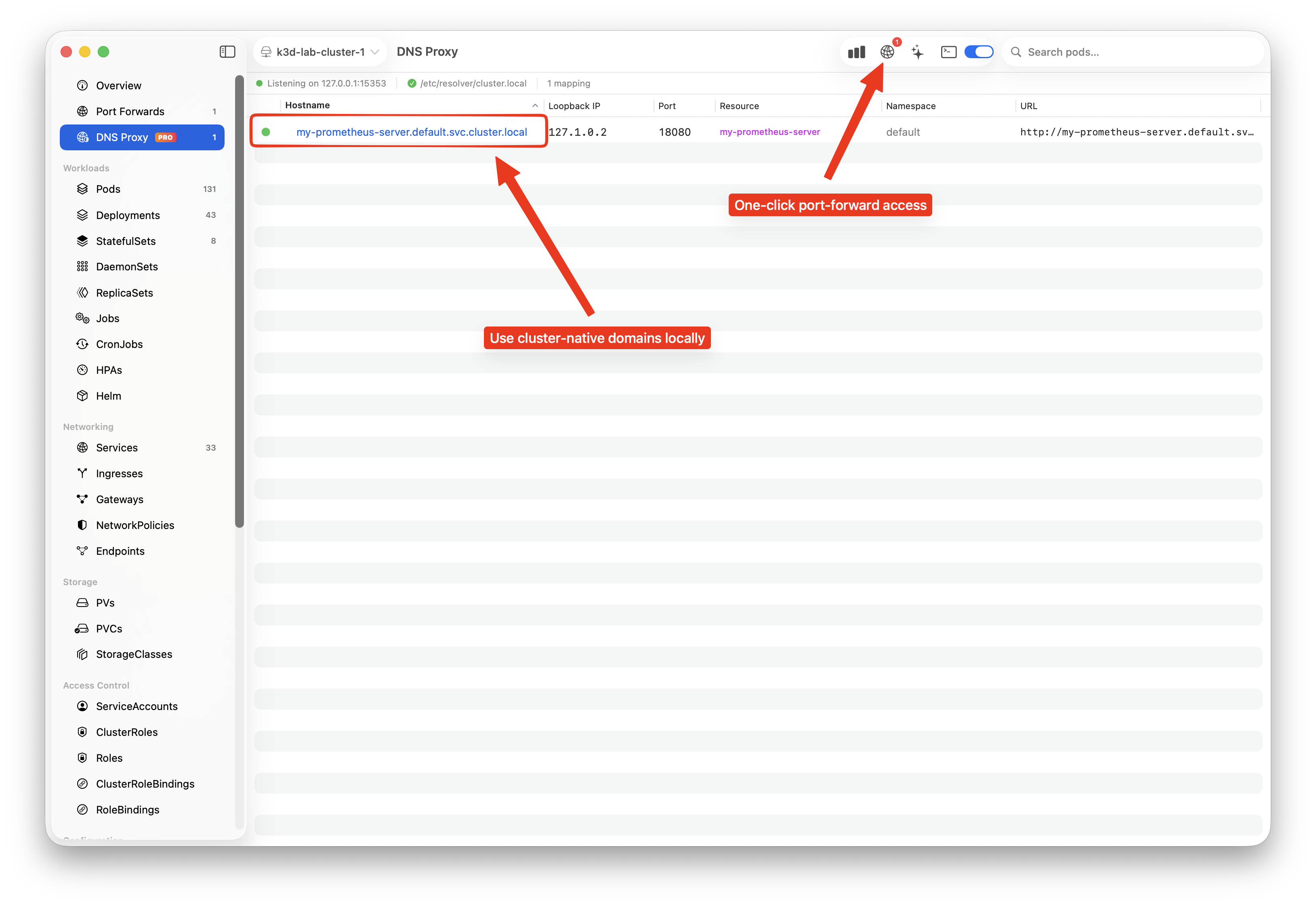 Verify active hostname mappings, loopback targets, and resources.
Practical Example
Instead of rewriting:
http://payments.default.svc.cluster.local:80->http://localhost:8082
you keep:
http://payments.default.svc.cluster.local:80
and let Krust manage the underlying DNS mapping, local VIP, and forwarding state.
Updated Recommendation
If your team still rewrites service URLs to localhost manually, move to DNS-aware forwarding now:
- use Free for single-mapping daily flows
- use Pro when you need multiple mappings and persistent profiles
That reflects how Krust works today: system DNS proxy for cluster-local lookups, port-aware mappings, and local Network Extension plumbing instead of the older resolver-based approach.
Download Krust for macOS or continue with the Port Forwarding docs.