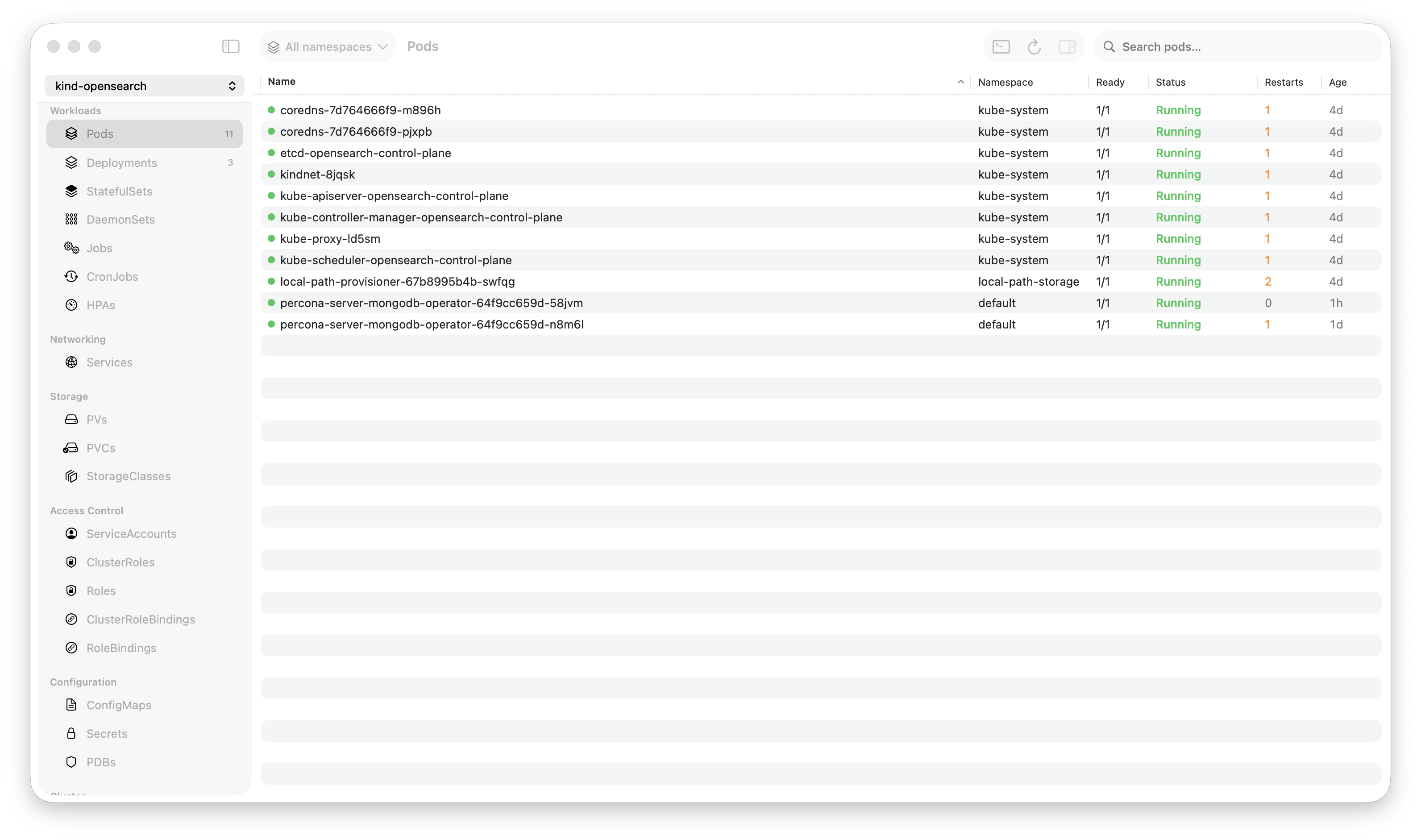
Krust is a native Kubernetes desktop app for production operations on macOS. If you are evaluating tools, compare Features and start with Quick Start.
Something is shifting in developer tools. The best new apps on macOS aren’t Electron anymore.
- Zed replaced VS Code for thousands of developers. Written in Rust, renders with GPU shaders, uses 10x less memory.
- Raycast replaced Alfred. Native Swift, instant response, no web view.
- Warp reimagined the terminal. Rust core, Metal rendering, feels like a native app because it is one.
- Linear started as Electron, then went native for performance-critical features.
The pattern is clear: when performance and user experience matter, developers are choosing native over Electron. And Kubernetes tools are overdue for the same shift.
How We Got Here
Electron was a breakthrough. Write once in JavaScript, run across operating systems from one codebase. VS Code proved it could work at scale. Slack proved it could work for mainstream apps. Lens proved it could work for Kubernetes.
The trade-off was always there — a Chrome browser embedded in every app — but for most use cases, it was acceptable. A text editor that uses 300MB instead of 50MB? Fine. A chat app that takes 2 seconds to start? Whatever.
But developer tools have a performance floor. When your Kubernetes GUI stutters while you’re debugging a production incident, the architecture isn’t an academic concern. It’s the reason you missed the error scrolling past.
The economics changed too. Apple Silicon blurred the line between laptops and desktops. Engineers work on MacBook Airs with 8GB of RAM. Running three Electron apps (Slack, VS Code, Lens) consumes 3-4GB before you open a browser. Native apps that use 50-100MB instead of 300MB-1.5GB aren’t a luxury — they’re a necessity for the hardware people actually use.
Why Kubernetes Tools Specifically
Not every category needs to go native. A note-taking app in Electron is fine — you’re not scanning 100K lines of text in real-time or rendering 1,500-row tables with live-updating metrics.
Kubernetes tools are uniquely demanding:
Real-time data streams. Pod watchers push events continuously. Log streams emit hundreds of lines per second. Metrics refresh every 30 seconds. This is real-time data processing, not CRUD forms.
Large datasets. Production clusters have hundreds or thousands of pods. Each pod has status, conditions, containers, resource limits, metrics, events. Rendering a table with 1,500 rows that updates in real-time is a non-trivial UI challenge.
Concurrent I/O. Watching 15 resource types simultaneously, streaming logs from 8 pods, polling metrics — all at once. The runtime needs to handle dozens of concurrent connections without blocking the UI.
Incident response UX. When something breaks at 2 AM, every second counts. A UI that stutters, a search that takes 500ms instead of 5ms, a log viewer that drops frames — these aren’t minor annoyances. They’re the difference between finding the root cause in 90 seconds or 10 minutes.
Electron handles all of this — it handles everything — but with a resource overhead that compounds under load. Native handles it with an order of magnitude less overhead.
The Architecture Difference
Here’s what changes when you go from Electron to native for a Kubernetes tool:
Rendering
Electron: React components → virtual DOM diffing → DOM updates → Chromium compositing → GPU. Every pod table re-render goes through JavaScript reconciliation, DOM manipulation, and browser layout.
Native (AppKit): NSTableView renders only visible rows. Data changes update specific cells. Core Animation handles compositing directly. No virtual DOM, no reconciliation, no browser engine.
The result: NSTableView with 1,500 pods updates in microseconds. A React table with 1,500 rows triggers a reconciliation pass that can take 50-100ms under heavy updates.
Memory
Electron: V8 heap for JavaScript objects. Chromium’s multi-process architecture (main, renderer, GPU, utility). DOM nodes for every visible element. Garbage collector overhead.
Native (Rust + Swift): Rust structs are exactly the size of their fields. No GC. No DOM. No multi-process overhead. A pod record is ~700 bytes in Rust vs ~70KB as a JavaScript object with DOM representation.
Real numbers: 1,700 pods in Krust = ~160MB. 1,700 pods in Lens = ~1,250MB.
Concurrency
Electron: Node.js is single-threaded for JavaScript execution. Worker threads exist but add complexity. IPC between main and renderer processes has serialization overhead.
Native (Tokio): Multi-threaded async runtime. Each Kubernetes watcher is a lightweight task. 15 concurrent watchers + 8 log streams = 23 tasks on a thread pool, no serialization overhead, no IPC.
Search
Electron: JavaScript regex across DOM text nodes. Or, better implementations use a web worker. Either way, searching 100K log lines in JavaScript takes 200-500ms.
Native (Rust): SIMD-optimized byte scanning. 100K lines searched in 5-15ms. No web worker indirection, no JavaScript overhead.
The Cost of Going Native
It’s not free. Here’s what you give up:
Cross-Platform
Electron gives you broad platform coverage from one codebase. Native means platform-specific UI code. Krust deliberately focuses on a macOS-native experience for production operations.
The counterargument: macOS-only lets you use AppKit’s NSTableView (20+ years of optimization for large datasets), Metal for GPU rendering, native keyboard shortcuts, proper dark mode, system font rendering. These aren’t cosmetic — they’re performance features.
Development Speed
React + TypeScript is faster to develop in than Swift + Rust. The ecosystem is larger. Components are available off the shelf. Hiring is easier.
The counterargument: once the foundation is built, iteration speed is comparable. And you never have to debug “why is Chromium using 800MB” or “why does the DOM re-render when I scroll.”
Extension Ecosystem
Lens has a thriving extension ecosystem. Community-built plugins add functionality. Native apps are harder to extend — there’s no npm install lens-plugin-x.
This is a genuine disadvantage. Krust has no extension system today. For users who rely on specific Lens extensions, that’s a dealbreaker.
The Tools Making the Shift
Krust isn’t alone. The trend toward native Kubernetes/DevOps tooling is emerging:
| Tool | Architecture | Focus |
|---|---|---|
| Krust | Rust + Swift (native macOS) | Kubernetes desktop app |
| k9s | Go (terminal) | Terminal-based K8s |
| Warp | Rust (native) | Terminal |
| Zed | Rust (native) | Code editor |
k9s proved you don’t need a GUI framework to make Kubernetes accessible. Krust proves you don’t need Electron to make a GUI.
What “Native” Actually Means for Users
Strip away the technical details. What does a native Kubernetes tool feel like in daily use?
It starts instantly. 0.8 seconds. Not 4-5 seconds while Chromium initializes.
It stays small. 160MB of RAM, steady. Not 300MB growing to 1.5GB over an 8-hour workday.
Your fans stay quiet. <5% CPU during active use. Not 15-35% while streaming logs.
Your battery lasts. Low energy impact in Activity Monitor. Not “High” or “Very High.”
It feels like macOS. Native keyboard shortcuts, native scroll physics, native dark mode, native text rendering. It doesn’t feel like a website pretending to be an app.
It’s fast when it matters. Log search in 5ms. Pod table updates without stutter. Navigation between resources with zero loading time. During an incident, this speed compounds — 90-second diagnosis instead of 10-minute diagnosis.
The Pragmatic View
I’m not arguing that every tool should go native. Electron is the right choice for many applications:
- Cross-platform is a hard requirement → Electron
- Rapid prototyping and iteration → Electron
- Extension ecosystem is critical → Electron
- The app is forms and CRUD → Electron (no performance ceiling to hit)
But for tools that handle real-time data streams, large datasets, and concurrent I/O — where users feel the performance during high-stress moments — the native architecture has a ceiling that Electron can’t match.
Kubernetes tools hit that ceiling. The post-Electron era isn’t about ideology. It’s about building tools that perform when performance matters most.
Try It
brew install vanchonlee/tap/krustOpen Activity Monitor. Run your current Kubernetes tool alongside Krust. Compare RAM, CPU, and energy impact. The numbers tell the story.
Krust is a native Kubernetes desktop app for macOS built with Rust and Swift. 160MB RAM, 27 resource types, real-time watchers, fast log workflows, Helm management, and AI diagnostics. Free tier available, with Pro focused on incident debugging.