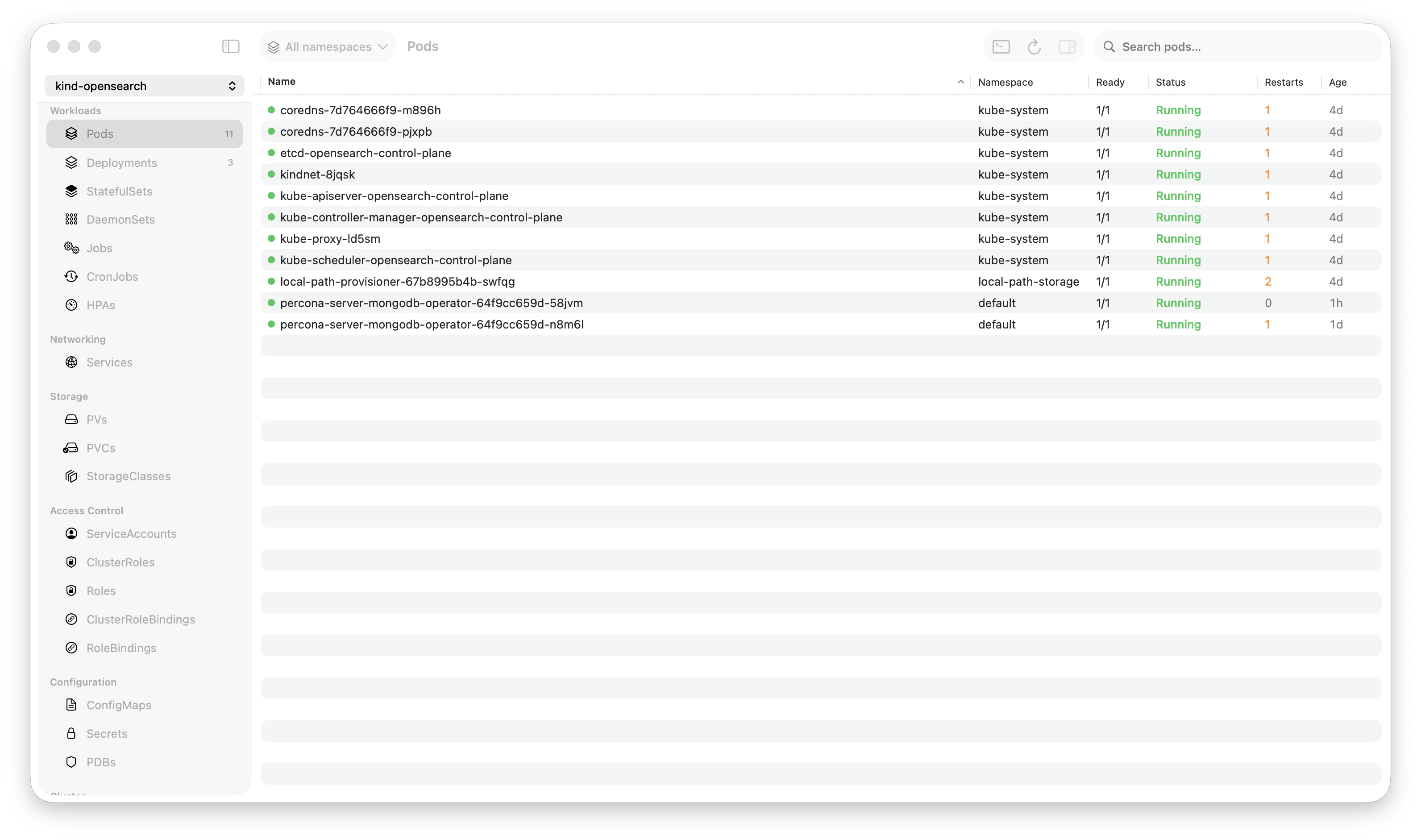
Krust is a native Kubernetes desktop app for production operations on macOS. If you are evaluating tools, compare Features and start with Quick Start.
Most Kubernetes debugging starts and ends with logs. You stream them, search them, scroll through them, copy-paste them into Slack. The tools for this workflow haven’t changed much: kubectl logs, maybe piped to grep, maybe stern for multi-pod. It works, but every incident involves the same manual steps.
Krust Pro focuses on the log features that change the incident workflow: multi-pod aggregation and deep history search. Free still includes the normal single-pod workflow, including regex, JSON compact, bookmarks, export, and inspector. Here’s where Pro changes the speed of diagnosis.
Multi-Pod Log Aggregation
The most common debugging scenario: a deployment has 8 replicas, one of them is throwing errors, and you don’t know which one.
Without aggregation:
# Check each pod individually
kubectl logs checkout-7f8d4-abc -n prod --tail=500 | grep error
kubectl logs checkout-7f8d4-def -n prod --tail=500 | grep error
kubectl logs checkout-7f8d4-ghi -n prod --tail=500 | grep error
# ... repeat for all 8 pods
Or use stern:
stern checkout -n prod --tail=500Better, but stern gives you a firehose. All 8 pods, all lines, no search, no filtering. When the deployment emits 200 lines per second across all pods, you’re reading a waterfall.
With Krust Pro:
Click the deployment → Logs → “All Pods.” Eight streams merge into one chronological view. Each line prefixed with the pod name. Type “error” in the search box — results across all 8 pods highlighted in 5ms.
[checkout-7f8d4-abc] 02:15:43 ERROR upstream timeout: payments-svc
[checkout-7f8d4-def] 02:15:43 ERROR upstream timeout: payments-svc
[checkout-7f8d4-ghi] 02:15:44 WARN  retry 3/5: payments-svc
[checkout-7f8d4-jkl] 02:15:44 ERROR upstream timeout: payments-svc
Three of eight pods hitting the same error. The pattern is visible in seconds, not minutes.
Regex Filters
Substring search covers 80% of cases. But sometimes you need patterns:
- HTTP errors:
status=[45]\d{2}— matches 400-599 status codes - Slow requests:
latency_ms=\d{4,}— matches latencies over 999ms (4+ digits) - Specific users:
user_id=(12345|67890)— matches specific user IDs - Exception patterns:
(?i)exception|panic|fatal— case-insensitive error detection
In kubectl logs | grep, you get basic regex. But grep runs on the stream — once a line scrolls past, it’s gone. Krust Pro runs regex against the full 100K-line buffer. Past lines are searchable. No “I missed it, let me wait for it to happen again.”
JSON Compact Mode
Modern microservices emit JSON logs. A single line looks like:
{"timestamp":"2024-01-15T02:34:56.789Z","level":"error","msg":"connection refused","service":"payments","method":"POST","path":"/api/charge","latency_ms":2340,"trace_id":"abc-123-def","span_id":"456","user_id":"u_789","request_id":"req_012","host":"checkout-7f8d4-abc","pid":1,"version":"3.8.2"}That’s one line. With 8 pods streaming, each emitting 10 lines per second, you’re reading 80 JSON blobs per second. Even with syntax highlighting, it’s a wall of text.
Compact mode collapses each line to show only the fields that matter:
ERROR  connection refused  service=payments  latency_ms=2340  trace_id=abc-123
ERROR  connection refused  service=payments  latency_ms=2180  trace_id=def-456
WARN   retry attempt 3/5   service=payments  latency_ms=3100  trace_id=ghi-789
Level, message, and key fields — inline, scannable. Click any line to expand the full JSON in the inspector sidebar.
Field toggle lets you customize which fields appear in compact mode. Don’t care about trace_id? Hide it. Want to see user_id? Show it. The toggle applies across all visible log lines, so you can scan for patterns across a specific field.
Log Bookmarks (Free)
During an incident, you find a relevant log line. Then you keep scrolling. Five minutes later, you need to go back to that line. Where was it?
In a terminal, you scroll up and hope you find it. Or you copy it to a scratch file. Or you remember the timestamp and search for it.
In Krust, press a key to bookmark any line. A marker appears in the gutter. Navigate between bookmarks with keyboard shortcuts — jump forward, jump back. Bookmarks persist through scrolling, new lines arriving, and search queries.
Real workflow:
- Find the first error → bookmark it
- Keep scrolling to find related errors → bookmark each one
- Find the recovery point → bookmark it
- Jump between bookmarks to build a timeline: “First error at 02:15:43, cascading failures at 02:15:44-45, partial recovery at 02:16:01, full recovery at 02:16:15”
This timeline goes straight into the incident postmortem. No manual timestamp tracking.
Log Level Filtering
Every log line is classified: ERROR, WARN, INFO, DEBUG, TRACE. Krust detects the level from structured logs (JSON level field, logfmt level= key) or from ASCII pattern matching in the line text.
Filter buttons let you show/hide levels. During an incident:
- Show only ERRORs to find the failures
- Add WARNs to see precursor signals
- Filter out DEBUG/TRACE to reduce noise by 90%
Combined with multi-pod aggregation: show ERRORs across all 8 pods. Instantly see the failure pattern without noise.
Export (Free)
Found the relevant logs? Export them.
- Copy selection — highlight specific lines, copy to clipboard
- Export buffer — dump the current view (filtered or unfiltered) to a file
- Export with metadata — include pod names, timestamps, line numbers
This goes into Slack threads, Jira tickets, incident reports, or postmortem documents. No more “I’ll paste the relevant logs” followed by a 500-line code block. Export the exact lines that matter, with context.
The Full-Buffer Advantage
All of these features work against the 100K-line ring buffer in Rust. This is the key architectural advantage over terminal-based log viewing.
In kubectl logs --tail=5000, you get the last 5,000 lines. If the error happened 6,000 lines ago, it’s gone. You need to re-run with a larger tail, or add --since=1h, or guess.
Krust Pro holds 200,000 lines per pod. At a typical rate of 10 lines per second, that’s 5+ hours of logs. The error from 2 hours ago? It’s still in the buffer. Search it, filter it, bookmark it — no re-fetching.
And search is fast because it runs in Rust against contiguous memory, not in JavaScript against DOM nodes. 100K lines searched in 5-15ms. Type a query, results appear before you lift your finger from the key.
What This Looks Like End-to-End
2:17 AM — Alert fires: checkout 500 error rate above 5%
- Open Krust (already connected, 160MB RAM, always running)
- Click checkout deployment → Logs → All Pods
- Filter: ERROR only → see 3/8 pods throwing “upstream timeout: payments-svc”
- Regex search:
latency_ms=\d{4,}→ find all requests over 1 second - Bookmark the first timeout, the escalation pattern, and the first successful request
- Compact mode → scan
serviceandlatency_msfields across all pods - Timeline: timeouts started at 02:14:22, escalated at 02:15:30, payments-svc pods hit memory limit
- Export bookmarked lines → paste into #incident-checkout Slack channel
Total time: under 3 minutes. Total terminal commands typed: zero.
Free vs Pro
The free tier includes the day-to-day single-pod workflow: search, regex, bookmarks, export, and level filtering.
Pro unlocks the incident debugging workflow:
| Feature | Free | Pro |
|---|---|---|
| Single-pod log streaming | Yes | Yes |
| Visible search, regex, bookmarks, export | Yes | Yes |
| Multi-pod aggregation | — | Yes |
| JSON compact mode | Yes | Yes |
| Log level filtering | — | Yes |
| Deep history search | — | Yes |
If you’re debugging one pod on a small cluster, the free tier is enough. If you’re managing production with dozens of deployments and getting paged at 2 AM, Pro pays for itself the first time you diagnose an incident in 3 minutes instead of 15.
Try It
brew install vanchonlee/tap/krustFree tier is free forever. Pro features available with a license.
Krust is a native Kubernetes desktop app for macOS. Pro log features: multi-pod aggregation and deep history search. Built with Rust for performance that matters during incidents.