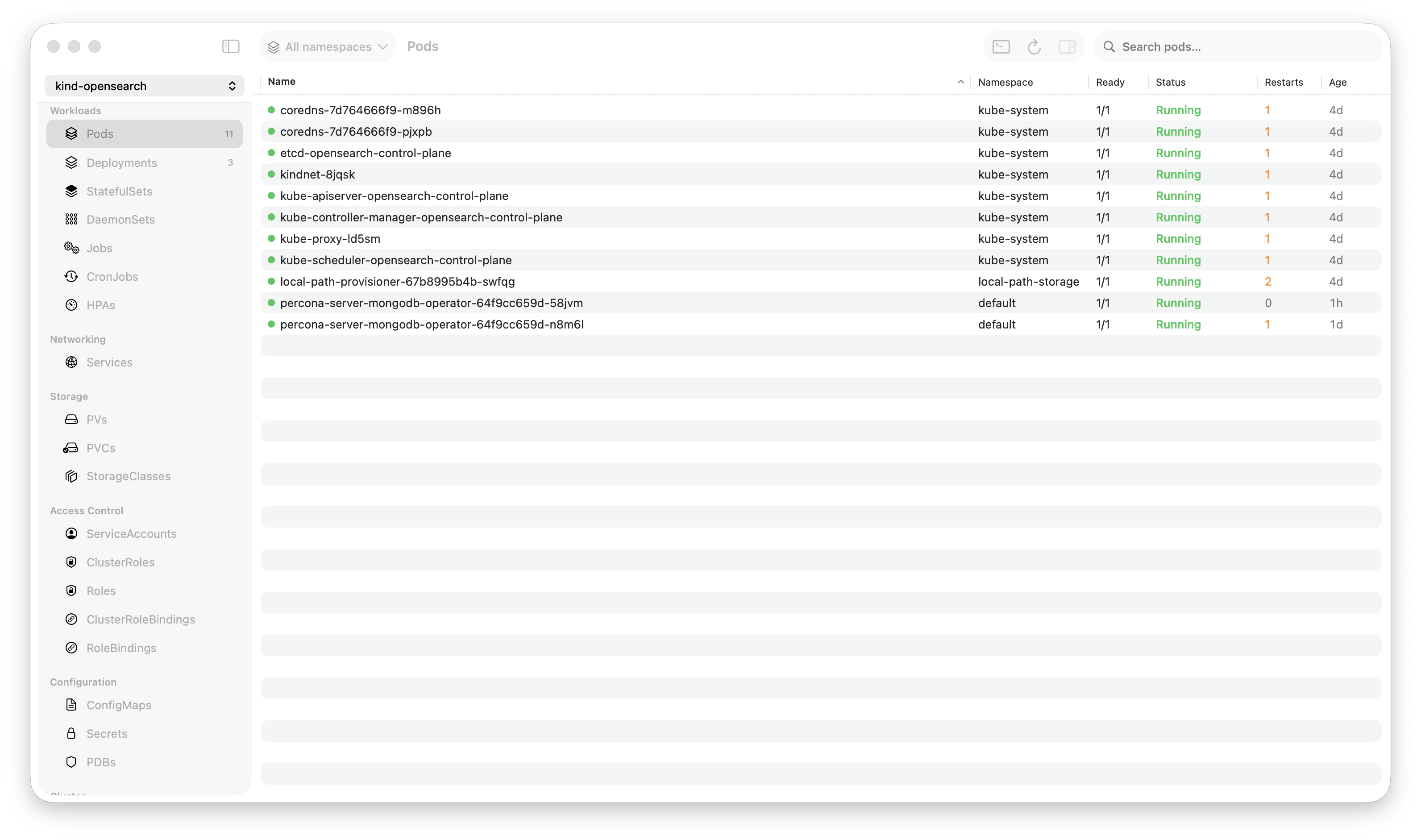
Krust is a native Kubernetes desktop app for production operations on macOS. If you are evaluating tools, compare Features and start with Quick Start.
When someone asks “how many pods can your Kubernetes GUI handle?”, the honest answer from most tools is “it depends on how much RAM you have and how much stuttering you’ll tolerate.”
Krust handles 1,500+ pods at 160MB of RAM with smooth scrolling, live-updating metrics, and real-time status changes. Here’s every performance optimization that makes that possible.
The Problem
A pod table with 1,500 rows is not like a normal table. Each row has:
- Pod name, namespace, status, IP, node, age
- Container count, restart count, ready count
- CPU and memory usage (live metrics, refreshed every 30 seconds)
- Status changes arrive via Kubernetes watch events at any time
The data is dynamic. Pods start, terminate, crash, restart. Metrics change. Statuses flip from Running to CrashLoopBackOff. The table isn’t a static list — it’s a real-time dashboard.
Most GUI frameworks aren’t designed for this. SwiftUI’s Table and List views, React tables, even HTML tables — they all struggle when row count crosses into the hundreds with frequent updates.
Optimization 1: NSTableView Instead of SwiftUI Table
This was the single biggest performance win.
SwiftUI’s Table view has a fundamental problem with large datasets: when the underlying data changes, SwiftUI’s diffing algorithm walks the entire data array to determine what changed. With 1,500 pods and metric updates every 30 seconds, this means 1,500 comparisons every refresh cycle.
Worse, SwiftUI’s Table creates view bodies for every row that might be visible after layout — not just the currently visible rows. Scroll position, row height estimation, and animation all factor into how many rows get evaluated.
We replaced SwiftUI’s Table with AppKit’s NSTableView via NSViewRepresentable. The difference:
SwiftUI Table: O(total rows) diffing + O(estimated visible) view creation = 1,500+ evaluations per update
NSTableView: O(visible rows) rendering = ~30 cell updates per refresh
NSTableView has over 20 years of optimization for large datasets. It uses a cell reuse pool (like UITableView on iOS), only creates views for visible rows, and reuses cells as you scroll. Apple’s engineers have spent two decades making this fast for exactly this use case.
The implementation wraps NSTableView in an NSViewRepresentable. Data is passed from SwiftUI via bindings, and table updates are triggered by calling reloadData() on specific rows — not the entire table.
Optimization 2: Compact Data Model in Rust
Every pod in Kubernetes is a large JSON object. A typical pod spec is 50-100KB of JSON. With 1,500 pods, storing raw specs would cost 75-150MB just for pod data.
Instead, the Rust core extracts only what the UI needs into a compact struct:
PodRow:
  name, namespace, status, pod_ip, node_name, age
  container_count, ready_count, restart_count
  cpu_usage, memory_usage (from metrics)
  owner_kind, owner_name (for workload grouping)
Each PodRow is roughly 700 bytes. 1,500 pods = ~1MB. Compare that to 75-150MB for raw specs. The reduction is ~99%.
The full pod spec is still accessible — when you click a pod to view its YAML, the Rust core fetches it from the in-memory store. But the table only carries the compact representation.
Optimization 3: Watchers, Not Polling
Most Kubernetes dashboards poll the API server: GET /api/v1/pods every 5-10 seconds. With 1,500 pods, each response is several megabytes of JSON. Parse it, diff it against the previous state, update the UI.
Krust uses Kubernetes watch streams: a single long-lived HTTP/2 connection that receives push events when resources change. Pod created? One event. Pod status changed? One event. Pod deleted? One event.
The difference:
Polling (every 5s): Parse 1,500 pod specs → diff against previous state → update changed rows. Cost: ~5-10MB of JSON parsed, ~50ms of CPU, every 5 seconds. Even when nothing changed.
Watching: Receive individual change events as they happen. Parse one pod spec per event. Update one row. Cost: proportional to the rate of change, not the total number of pods.
On a stable cluster where most pods are Running and nothing is changing, the watcher does essentially zero work. Polling would still be parsing megabytes of JSON every 5 seconds.
Optimization 4: In-Memory Store with RwLock
All pod data lives in a Rust PodStore protected by RwLock<Inner>:
pub struct PodStore {
    inner: RwLock<Inner>,
}
RwLock allows many concurrent readers and one writer. The watch event handler takes a write lock (briefly, to update one pod). The UI takes a read lock (briefly, to snapshot the table data).
The write lock is held for microseconds — update one entry in a HashMap. The read lock for a snapshot is a Vec::clone() of the filtered, sorted rows. No serialization, no JSON parsing, no network call. The UI reads from memory.
This means navigation between tabs (Pods → Deployments → Services → back to Pods) involves zero API calls. The data is already there, in memory, indexed. Click a tab, read the store, render the table. Feels instant because it is instant.
Optimization 5: Metrics Without Blocking
CPU and memory metrics come from the Metrics API (metrics.k8s.io/v1beta1). Krust polls this every 30 seconds — a single API call that returns metrics for all pods.
The metrics pipeline:
- Fetch — Async HTTP call on a Tokio worker thread. ~200-500ms depending on cluster size.
- Parse & Cache — Results go into a global
METRICS_CACHE(behind aRwLock). Each entry maps pod name → (cpu, memory). - Distribute — The Swift side calls
getAllWorkloadMetricsForKind()which reads the cache and matches metrics to pods by owner (ReplicaSet → Deployment resolution). - Display — View models merge metrics into their existing row data. Only changed cells are updated.
The key design: metrics refresh never blocks the main thread or the pod table. The fetch runs on a background thread. The cache update is a lock-swap. The UI reads from the cache during its next refresh cycle. If the metrics API is slow (or unavailable), the table shows ”-” for metrics and continues operating normally.
ReplicaSet → Deployment Resolution
Metrics are reported per-pod. But the UI shows metrics per-deployment. The aggregation:
- Pod
checkout-7f8d4-abc→ owned by ReplicaSetcheckout-7f8d4 - ReplicaSet
checkout-7f8d4→ strip the pod-template-hash suffix → Deploymentcheckout - Sum CPU/memory across all pods owned by the same Deployment
This resolution uses a pre-computed owner map built from the pod store. No extra API calls. The map is rebuilt when pods change (via the watcher), so it’s always current.
Optimization 6: Eliminating Hot-Path Print Statements
This one is embarrassing in hindsight.
During development, I added print() statements for debugging: log when a pod updates, log when metrics refresh, log when the table reloads. Normal development practice.
On a cluster with 1,500 pods, these prints fired constantly. The pod watcher generates events for status changes, container readiness, metric updates. With print statements on every update, Xcode’s console was processing thousands of lines per second.
Impact: 3-5% CPU just from print statements. Not from the actual work — from printing debug output that nobody was reading.
Removing all hot-path print statements from PodViewModel, PodListView, and ContentView dropped idle CPU from ~8% to ~3%. A reminder that I/O (even to a console) is expensive when it’s on the critical path.
Optimization 7: Timer Tuning
Krust uses timers for two things:
- Age column refresh — updating “2d 5h” → “2d 6h” display
- Metrics refresh — polling the Metrics API
The age timer was originally set to 1 second. Every second, the table refreshed to update age strings. But ages display as “2d”, “5h”, “30m” — updating every second is invisible to the user. Nobody notices when “2d 5h” becomes “2d 5h 1s” because the display rounds to the largest unit.
Changed the age timer from 1s to 5s. Reduced timer-triggered table refreshes by 80%.
The metrics timer runs at 30 seconds — a reasonable interval for resource usage data that changes gradually. No optimization needed there, but the timer fires on a background thread to avoid blocking the UI.
Optimization 8: Snapshot-Based Table Updates
When the pod store changes (new pod, status change, deletion), the UI needs to update. The naive approach: pass the entire pod list to SwiftUI and let it diff.
Krust’s approach: the Rust PodStore produces a snapshot — a pre-filtered, pre-sorted Vec<PodRow>. The Swift side receives this snapshot and feeds it directly to NSTableView.reloadData().
The snapshot is produced by:
- Read-lock the store
- Apply namespace filter
- Apply search filter (if active)
- Sort by the current sort column
- Enrich with metrics from the cache
- Return the sorted, filtered vec
All of this happens on the Rust side. Swift receives a ready-to-display array. No filtering, sorting, or enrichment on the main thread. The main thread’s only job is calling reloadData() and supplying cell views for visible rows.
The Numbers
Measured on an M2 MacBook Pro, production EKS cluster, 1,500+ pods:
| Metric | Value |
|---|---|
| RAM (total app) | 160 MB |
| RAM (pod data only) | ~1 MB |
| CPU (idle, pods visible) | 2-3% |
| CPU (during metric refresh) | 5-8% (spike, <1s) |
| Table scroll FPS | 60 (vsync) |
| Pod status update latency | <100ms (watch event → table cell) |
| Namespace filter | <5ms (re-snapshot) |
| Search filter | <10ms |
| Startup to pods visible | <1s |
For comparison, the same cluster in Lens: ~1,250MB RAM, 35-50% CPU during active use, noticeable scroll stuttering with log streams active.
What Didn’t Work
SwiftUI’s .id() modifier for table identity — I tried using a generation counter to force SwiftUI to recreate the table when data changed. It worked but caused visible flicker on every update. Abandoned in favor of NSTableView.reloadData() which updates in-place.
Diffing row changes in Swift — I tried computing the diff between old and new snapshots to use insertRows/removeRows/reloadRows instead of reloadData. The diffing was more expensive than just reloading. NSTableView.reloadData() with cell reuse is already O(visible rows).
Throttling watcher events — On a busy cluster, watch events can arrive in bursts. I tried throttling UI updates to every 500ms. It made the table feel laggy — you’d delete a pod and it would stay in the table for half a second. Removed the throttle. NSTableView is fast enough to handle every event as it arrives.
Try It
If you manage large clusters and your current tool starts lagging at a few hundred pods:
brew install vanchonlee/tap/krustConnect to your biggest cluster. Scroll the pod table. Open metrics. Stream logs. Check Activity Monitor. The numbers don’t lie.
Krust is a native Kubernetes desktop app for macOS. Built with Rust (data layer) and Swift/AppKit (UI layer) for the kind of performance Electron can’t deliver. Free tier available, with Pro focused on incident workflows.