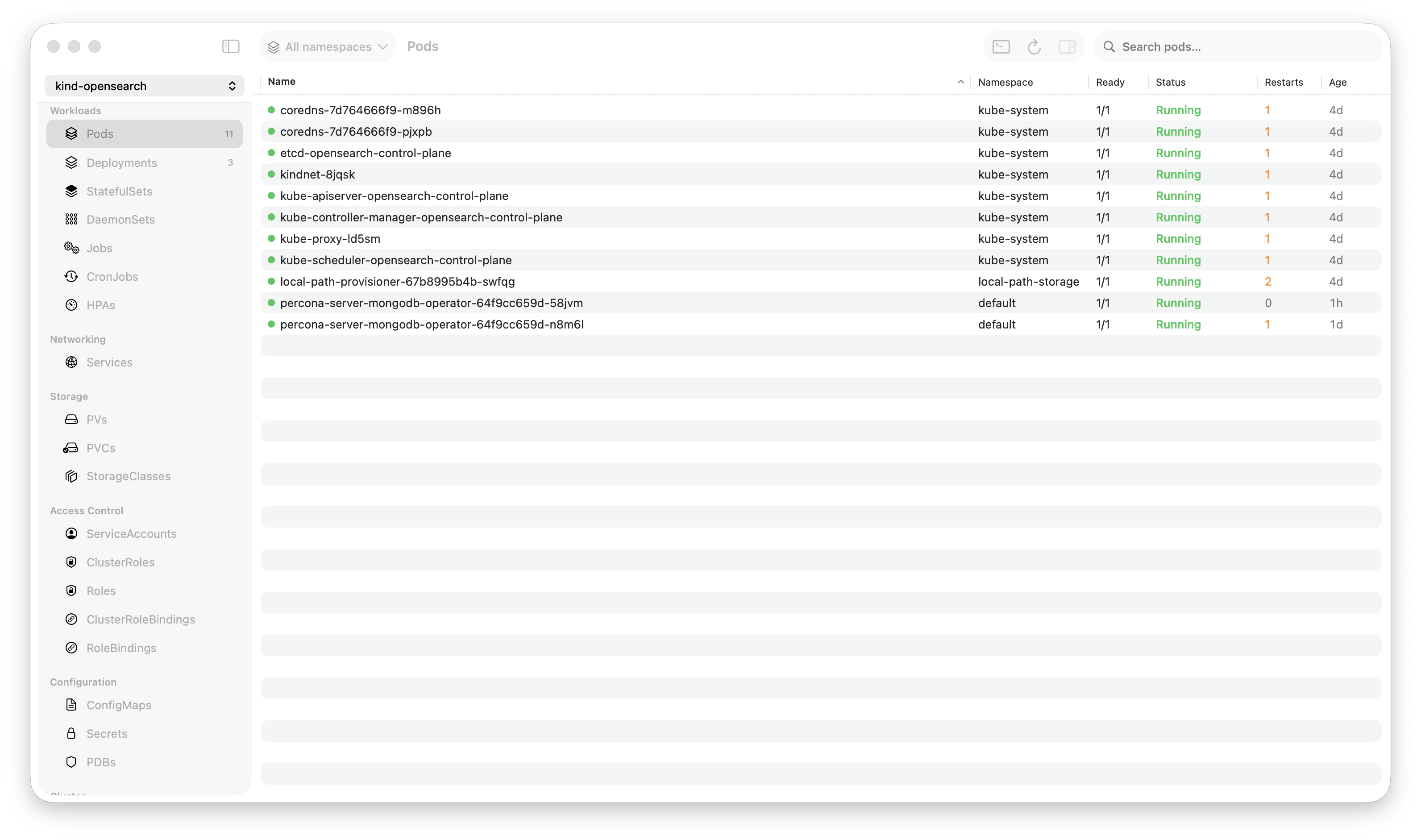
Krust is a native Kubernetes desktop app for production operations on macOS. If you are evaluating tools, compare Features and start with Quick Start.
There’s a common claim floating around: “Lens uses 2GB of RAM.” That’s not entirely fair. On a small cluster with a few dozen pods and no active log streams, Lens sits comfortably around 300-500MB. Perfectly reasonable.
But that’s not where it matters. What happens when you’re actually working — streaming logs from 5 pods during an incident, browsing a cluster with 800 pods, switching between namespaces? That’s when architecture becomes destiny.
I built Krust, a native macOS Kubernetes GUI in Rust and Swift, partly because I wanted to know: how much of the resource overhead is Electron, and how much is inevitable?
Here’s what I found.
The Test Setup
To keep this honest, here’s exactly what I measured:
- Machine: MacBook Pro M2, 16GB RAM, macOS Sonoma
- Cluster: 3 nodes, EKS
- Tools: Krust (native, Rust + Swift), Lens 2024 (Electron), k9s (terminal, Go)
- Measurement: Activity Monitor, sampled every 30 seconds over 10 minutes per scenario
Three scenarios, from light to heavy:
| Scenario | Pods | Log Streams | Activity |
|---|---|---|---|
| Idle browsing | ~50 | 0 | Navigate resources, no logs |
| Active debugging | ~200 | 2 pods streaming | Switch between logs, filter, search |
| Heavy production | ~800 | 5 pods streaming | Multi-namespace, continuous log output |
Scenario 1: Idle Browsing (~50 pods, no logs)
Just connect to a cluster, browse around. Look at deployments, click into pods, check services.
| RAM | CPU (avg) | Startup | |
|---|---|---|---|
| Krust | 72 MB | < 1% | 0.8s |
| Lens | 380 MB | 2-3% | 4.2s |
| k9s | 18 MB | < 1% | 0.3s |
At this scale, Lens is fine. 380MB is what a Chrome tab uses. Nobody’s going to notice.
But notice the baseline: Krust starts at 72MB. That’s the weight of no Chromium, no V8, no React DOM. Just native AppKit views backed by Rust data.
Verdict: All three are perfectly usable. Lens is heavier but not problematically so.
Scenario 2: Active Debugging (~200 pods, 2 log streams)
This is the common scenario: something is broken, you’re streaming logs from a couple of pods, searching for errors, switching between tabs.
| RAM | CPU (avg) | Log search (10K lines) | |
|---|---|---|---|
| Krust | 95 MB | 3-5% | 5ms (Rust, full buffer) |
| Lens | 650 MB | 12-18% | 200-500ms (JS regex in DOM) |
| k9s | 25 MB | 2-3% | N/A (terminal scroll) |
Here’s where the gap starts showing.
Lens at 650MB isn’t a bug — it’s architecture. Each log stream fills a DOM element. The browser’s rendering engine processes every line. When you search, JavaScript runs a regex across DOM text nodes. It works, but it’s doing 10x the work a native app needs to do.
Krust keeps logs in a Rust ring buffer. The UI only holds the last 10,000 lines for display. Search happens in Rust against the full 100K-line buffer and returns results in 5ms. The browser never enters the equation.
Verdict: Noticeably different. Krust stays cool, Lens makes your fan spin.
Scenario 3: Heavy Production (~800 pods, 5 log streams)
The “it’s 2 AM and everything is on fire” scenario. Large cluster, multiple log streams, you’re jumping between namespaces and resources trying to find the root cause.
| RAM | CPU (avg) | UI responsiveness | |
|---|---|---|---|
| Krust | 160 MB | 8-12% | Smooth (NSTableView, O(visible rows)) |
| Lens | ~1,250 MB | 35-50% | Stutters on large pod lists |
| k9s | 35 MB | 5-8% | Smooth (terminal rendering) |
This is where “Lens uses 2GB” comes from — and it’s real, but only under this kind of load. Five concurrent log streams, each pushing hundreds of lines per second through the DOM, while React re-renders an 800-row pod table. Chromium’s multi-process architecture spawns helper processes, GPU process, renderer process. They add up.
Krust at 160MB under the same load is doing the exact same work — watching the same API, storing the same logs, displaying the same data. The difference is purely architectural:
- No DOM. Pod table is
NSTableView, which only renders ~30 visible rows regardless of total count - No V8. Log processing is Rust, not JavaScript
- No React reconciliation. State changes update native views directly
- Single process. No Chromium multi-process overhead
Verdict: Under heavy load, you feel the architecture. Krust stays responsive. Lens fights for resources with the very incident you’re trying to debug.
The Battery Question
I ran both tools for 2 hours of active use (scenario 2 level) and checked battery impact:
| Energy Impact (Activity Monitor) | |
|---|---|
| Krust | Low (4-8) |
| Lens | High (25-45) |
| k9s | Low (2-5) |
For on-call engineers on a laptop, this matters. If your debugging tool is draining your battery, you’re fighting two problems at once.
Why Does This Happen?
It’s not that Lens is poorly built. The Lens team is talented. The issue is structural (see the full Krust vs Lens comparison):
Electron’s tax:
- Chromium ships an entire browser engine (~80MB baseline)
- V8 JavaScript engine runs alongside your app logic
- DOM rendering is designed for documents, not real-time data tables
- Multi-process architecture (main, renderer, GPU) multiplies overhead
- Garbage collection pauses cause micro-stutters during heavy log streaming
Native’s advantage:
- AppKit views are thin wrappers around Core Animation layers
NSTableViewhas 20+ years of optimization for large datasets- Rust’s ownership model means zero GC pauses
- Single binary, single process, direct GPU access
- Memory is allocated exactly once for each data structure — no copying between JS heap and native
This isn’t unique to Kubernetes tools. It’s why Raycast replaced Alfred (Electron → native), why Zed challenges VS Code (GPUI → native), why Arc is rebuilding without Chromium overhead. The pattern is clear: when performance matters, native wins.
But What About Features?
Fair question. A fast app with fewer features isn’t useful. Here’s the current feature comparison:
| Feature | Krust | Lens |
|---|---|---|
| Resource types | 23 | 20+ |
| Helm management | Yes (no CLI needed) | Via extension |
| Log buffer | 100K lines (Rust) | Browser memory |
| Log search speed | 5ms | 200-500ms |
| Multi-pod logs | Yes | Basic |
| Pod exec terminal | Yes (SwiftTerm) | Yes |
| CRD browser | Yes | Yes |
| AI assistant | Yes (5 providers) | No |
| Cross-cluster diff | Yes | No |
| Port forwarding | Yes | Yes |
| Extensions/plugins | No | Yes (large ecosystem) |
| Platform focus | macOS-native | Cross-platform |
Lens wins on cross-platform support and its extension ecosystem. Krust focuses on macOS-native performance for production operations. If you want raw speed during incidents on macOS, the numbers speak for themselves.
The Honest Take
- Lens on a small cluster is fine. 300-500MB, no stuttering, full-featured. Don’t switch just because of benchmarks.
- Lens on a large cluster during an incident is where you feel the pain. 1GB+, fan noise, scroll lag. That’s when architecture matters.
- k9s is the lightest option if you love the terminal. Krust doesn’t try to replace k9s — many power users run both.
- Krust fills the gap: GUI usability with terminal-level performance. Native macOS feel. Built for the 2 AM incident.
I didn’t build Krust because Lens is bad. I built it because I believe Kubernetes deserves a native macOS tool — the same way Raycast proved that a launcher deserves to be native, and Zed proved that a code editor deserves to be native.
If you’re on macOS, try both. Open Activity Monitor. Decide for yourself.
[Download Krust →] | [GitHub →]
All benchmarks were run on a MacBook Pro M2 with 16GB RAM, macOS Sonoma 15.2, using EKS clusters. Results may vary based on cluster size, log volume, and macOS version. Lens version tested: 2024.x. Krust version: beta.