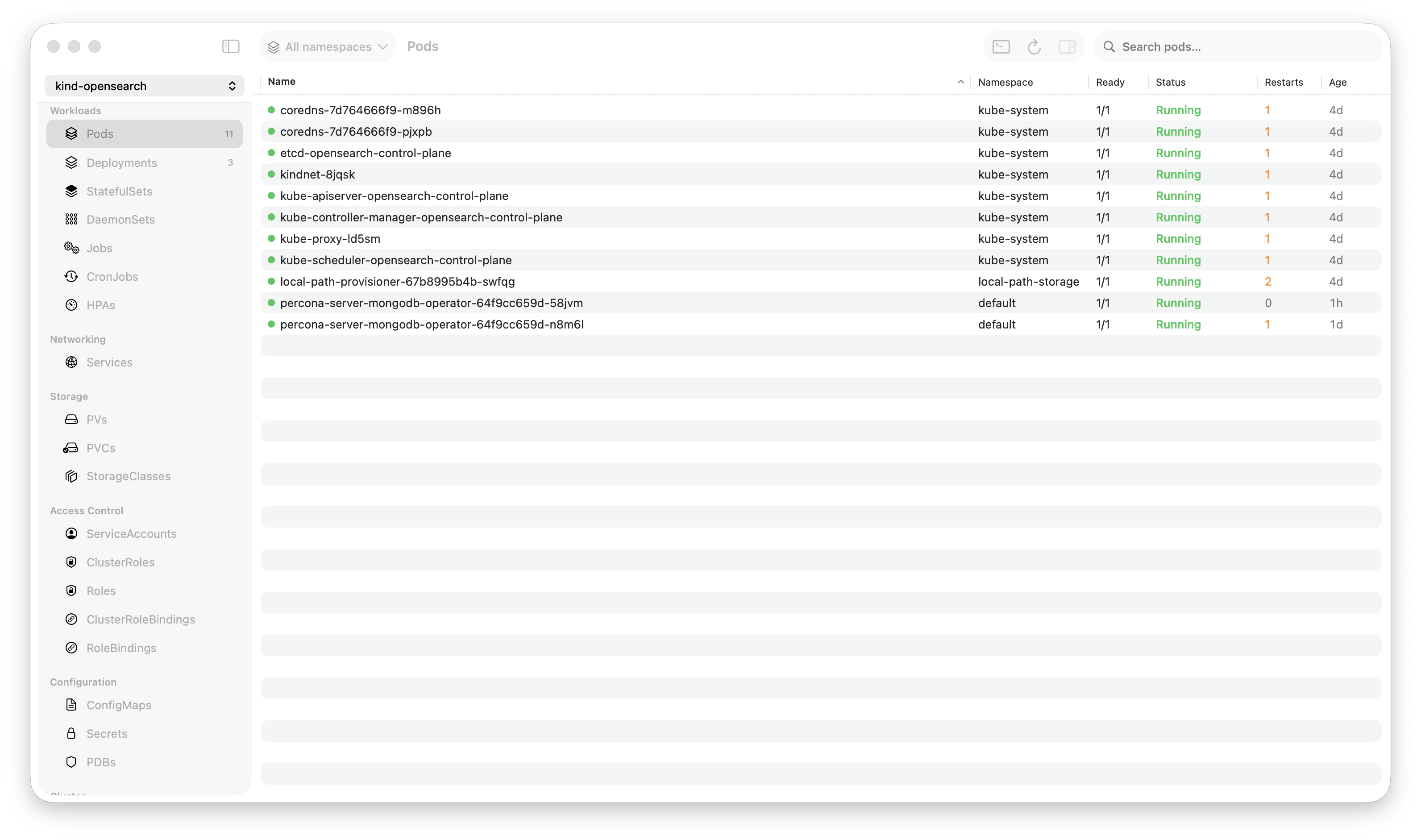
Krust is a native Kubernetes desktop app for production operations on macOS. If you are evaluating tools, compare Features and start with Quick Start.
During a production incident last month, I needed to find a specific error across 5 pods, each spitting out hundreds of lines per second. My log viewer choked. kubectl logs piped to grep was a game of “hope you catch it before the buffer scrolls past.”
That’s why I built a log viewer in Rust that holds 200,000 lines in memory and searches the entire buffer in 5 milliseconds.
Here’s how it works.
Why Existing Tools Struggle with Logs
Kubernetes log viewing has three common approaches, and they all break at scale:
kubectl logs -f — Great for one pod. Useless when the error is in one of 12 replicas and you don’t know which one. No search. No bookmarks. No filtering by log level. You’re reading a firehose with a straw.
Lens / Electron GUIs — Logs render as DOM elements. Every line is a text node in a browser engine. At 10K lines, scrolling stutters. At 50K lines, the tab starts consuming hundreds of megabytes. Search runs a JavaScript regex across DOM text — 200-500ms per query. During an incident, that latency is the difference between “found it” and “let me try again.”
ELK / Grafana Loki — Powerful, but you need infrastructure. A separate cluster, ingestion pipeline, storage costs. And when you’re SSHed into a bastion at 2 AM, you don’t want to open another browser tab to a different service. You want logs right there, in the same tool where you see your pods.
Krust takes a different approach: keep logs local, keep them fast, keep them in the same window.
The Architecture: A Ring Buffer in Rust
The core data structure is a fixed-size ring buffer holding 200,000 log lines. Here’s why:
Why a Ring Buffer?
A ring buffer (circular buffer) overwrites the oldest entries when full. This gives us:
- Constant memory usage — 100K lines is the ceiling, not the floor. Whether you’ve received 1,000 lines or 10 million, memory stays bounded
- Zero allocations after warmup — once the buffer is full, new lines reuse existing slots. No allocation pressure, no GC (Rust has none anyway), no memory fragmentation
- Cache-friendly access — contiguous memory layout means sequential reads hit L1/L2 cache instead of chasing pointers across the heap
For a Kubernetes log viewer, this is exactly right. You rarely need the first log line from 6 hours ago. You need the last 100K lines, searchable instantly.
How Search Works
When you type a search query in Krust, here’s what happens:
- Swift sends the query string to Rust via UniFFI
- Rust scans the ring buffer linearly — 100K string comparisons using Rust’s optimized
contains()(which uses SIMD on Apple Silicon) - Matching line indices are collected into a result vec
- Results return to Swift — typically 5-15ms for a full buffer scan
No index. No pre-processing. Just raw memory scanning, fast enough that indexing would be over-engineering.
Why is 5ms possible? Because 100K log lines × ~200 bytes average = ~20MB of text. Scanning 20MB of contiguous memory on an M-series chip with 200GB/s memory bandwidth is trivial. The bottleneck isn’t the scan — it’s the function call overhead.
Multi-Pod Aggregation
This is where logs in a GUI outshine kubectl:
[api-server-7f8d4-a2b3c] 2024-01-15T02:34:56Z ERROR connection refused to payments-svc
[api-server-7f8d4-x9k2m] 2024-01-15T02:34:56Z ERROR connection refused to payments-svc
[api-server-7f8d4-p4n7q] 2024-01-15T02:34:57Z WARN  retry attempt 3/5 for payments-svc
[worker-batch-5c9a1-j3k8f] 2024-01-15T02:34:57Z ERROR upstream timeout: payments-svc
Krust opens concurrent WebSocket streams to all pods in a deployment (or any label selector). Each line is prefixed with the pod name and interleaved chronologically. You see the incident unfold across your entire fleet in real time.
In kubectl, you’d need to open multiple terminal tabs, or pipe kubectl logs from each pod into a single stream with stern. Krust does this natively, with one click on a deployment.
The Display Layer: Keeping the UI Thread Free
100K lines in memory is useless if the UI freezes when displaying them. Here’s the strategy:
10K Display Window
The Swift-side view only holds 10,000 lines. When it exceeds this, it trims to 8,000 (removing the oldest). Why?
NSTextViewwithNSAttributedStringhandles 10K lines without breaking a sweat- Attributed strings (syntax highlighting, log level colors) are expensive to build — doing 100K of them would be wasteful
- The user only sees ~50-100 lines at a time anyway
The full 100K buffer lives in Rust. Display is a sliding window. Search hits the full buffer.
Off-Main-Thread String Building
Every log line needs color:
ERROR→ redWARN→ yellowINFO→ defaultDEBUG→ gray- Timestamps, pod names, JSON keys → distinct colors
Building NSAttributedString objects is CPU work. Krust does this on a background queue, then dispatches the finished attributed strings to the main thread for display. The main thread never parses a log line — it just appends pre-built strings.
JSON Mode
Modern microservices emit structured JSON logs:
{"level":"error","msg":"connection refused","service":"payments","latency_ms":2340,"trace_id":"abc-123"}Krust detects JSON log lines and offers two views:
- Compact mode — collapsed single-line with key fields visible
- Expanded mode — pretty-printed with syntax highlighting
- Field toggle — show/hide specific fields across all log lines
- Inspector sidebar — click any line to see all fields in a structured panel
This turns log reading from “parse JSON with your eyes” to “click and see.”
Log Bookmarks
During an incident, you find a relevant log line. Then you keep scrolling. Two minutes later, you need to go back to that line. Where was it?
Krust lets you bookmark log lines. Press a key, the line is pinned. Navigate between bookmarks with keyboard shortcuts. Bookmarks survive scrolling, new log lines arriving, and even search queries.
Simple feature. Surprisingly absent from most log tools.
Performance in Practice
Real numbers from a production debugging session (EKS cluster, 3 nodes):
| Operation | Time |
|---|---|
| Connect + start streaming (1 pod) | ~300ms |
| Connect + start streaming (8 pods) | ~800ms |
| Search “error” across 100K lines | 5-8ms |
| Search regex pattern across 100K lines | 12-20ms |
| Filter by log level (ERROR only) | <1ms (pre-indexed) |
| Switch between bookmarks | Instant |
Memory during that session: 145MB total (Rust core + Swift UI + 100K log lines + 8 active streams).
Compare that to having 8 terminal tabs running kubectl logs -f, or an Electron app trying to render 100K DOM nodes.
What I’d Do Differently
Ring buffer size should be configurable. 100K lines is a good default, but some users want 500K for long-running debug sessions. This is on the roadmap.
Regex search could use an index. For simple substring search, linear scan is fast enough. But complex regex patterns on 100K lines take 15-20ms — still fast, but an inverted index could bring it under 1ms. Probably not worth the complexity yet.
Log persistence across restarts. Currently, the buffer is in-memory only. When you close Krust, logs are gone. Some users want to save a snapshot. Coming soon.
Try It
If you’re on macOS and spend time reading Kubernetes logs, Krust might change your workflow:
- 100K-line buffer — stop losing logs to scroll buffer limits
- 5ms full-text search — find the needle instantly
- Multi-pod aggregation — see your whole deployment’s logs in one stream
- JSON parsing — structured view for structured logs
- Log bookmarks — pin important lines, navigate between them
- 160MB RAM — your debugging tool shouldn’t compete with your cluster
Available via Homebrew:
brew install vanchonlee/tap/krustBuilt with Rust (kube-rs, tokio) and Swift (AppKit, SwiftUI). Currently macOS only. Free tier available, with Pro focused on incident-grade log workflows.